Thinking + Fast Modes
Choose deeper clinical reasoning when the case is nuanced, or switch to fast responses when you need an answer immediately.
Perfusion Mind combines a specialty-focused AI assistant, calculators, care-plan tools, and review for the Perfusion Basic Science Exam (PBSE) and Clinical Applications in Perfusion Exam (CAPE) for clinicians and students.
Available on iOS and Android



Updated workflows and polished tools built for faster perfusion decision support
Choose deeper clinical reasoning when the case is nuanced, or switch to fast responses when you need an answer immediately.
Completely redesigned Perfusion Calculator and Perfusion Care Plan. Care plan now makes 19 calculations and gives cannula recommendations instantaneously—zero wait time.
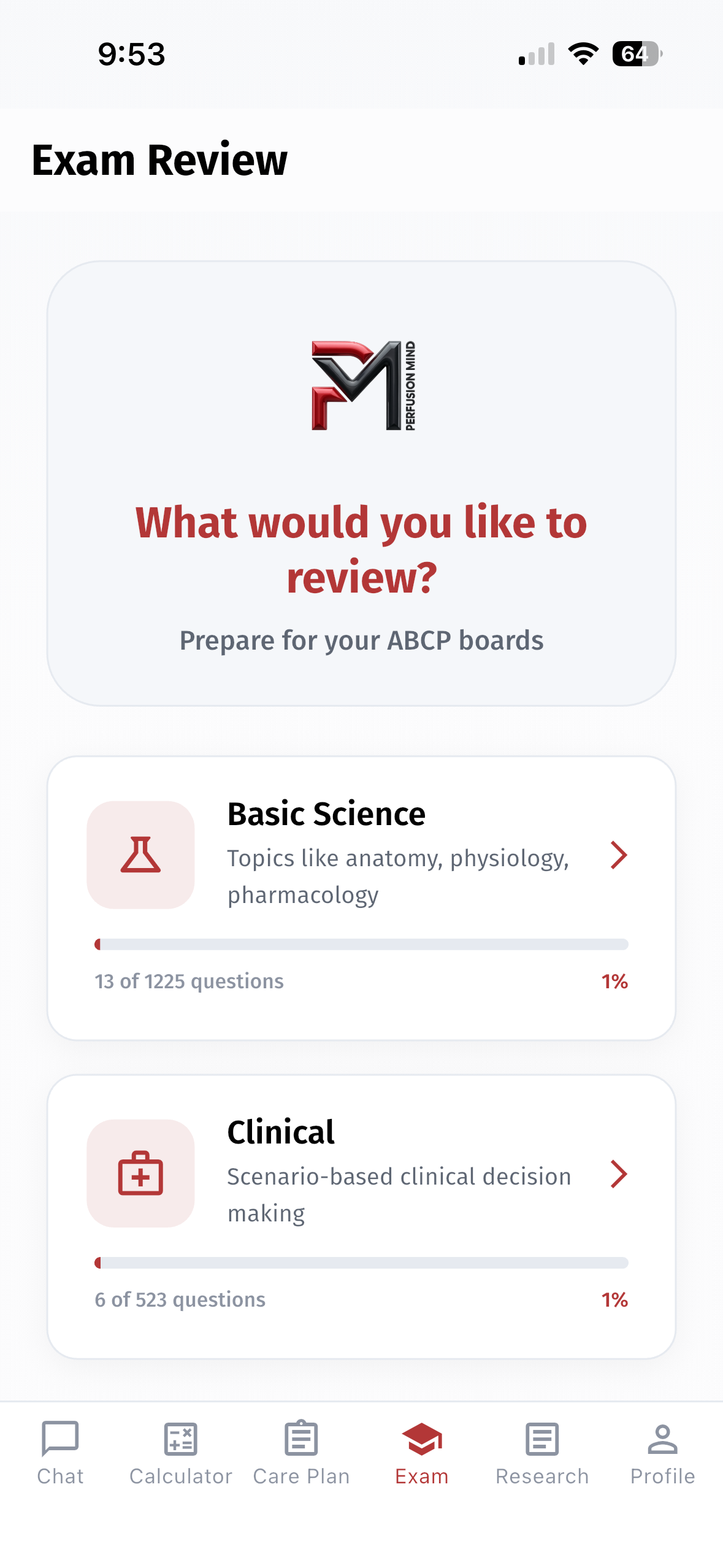
A refreshed board exam prep experience with a cleaner interface and an easier way to share feedback on questions and answers.
Perfusion Calculations at the Speed of Light! Simply enter patient details—height, weight, prime volume, procedure type, and comorbidities—and our AI instantly generates a tailored care plan.
Use your 5 free weekly credits here!
Choose a study path for the Perfusion Basic Science Exam (PBSE) or the Clinical Applications in Perfusion Exam (CAPE), then work through questions in the app at your own pace.
Review foundational perfusion science and extracorporeal support concepts in the Basic Science study path.
Work through clinical scenarios and related decision-making questions in the Clinical study path.
Independent study resource: Perfusion Mind is not affiliated with, endorsed by, or approved by the American Board of Cardiovascular Perfusion (ABCP). Its questions are not official ABCP examination items.
Exam Review access depends on your Perfusion Mind plan.
Current product visuals from the refreshed care-plan flow, cached chat playback, and the latest app demo video.
Tailored care-plan generation with current V2.0 visuals.
Revisit prior conversations quickly without breaking flow.
A fully redesigned perfusion calculator experience with the same great functionality.
Compare how a general AI response and a perfusion-focused response organize the same clinical question.
Question: What are the steps to changing out an oxygenator while on CPB?
Both responses address preparation, circuit isolation, oxygenator replacement, and post-exchange monitoring.
One response uses broad procedural phases; the other presents a numbered, perfusion-specific sequence.
For general educational information only. Not for clinical use, patient care, diagnosis, or treatment.
Team Communication & Role Assignment: Ensure all team members (surgeon, perfusionist, anesthesiologist, and nursing staff) are aware of the plan. Clarify roles and responsibilities.
Backup Equipment Check: Confirm that a replacement (backup) oxygenator is available, properly primed, and has been checked for integrity according to manufacturer and institutional guidelines.
Review Patient Status: Confirm that the patient is stable and that the indication for oxygenator exchange (e.g., clot formation, malfunction, or performance issues) is clearly understood.
Review the CPB Circuit Schematic: Understand the circuit's configuration to plan where clamps, connectors, and lines will be managed.
Stabilize CPB Flow: If possible, adjust flows and pressures to minimize turbulence and risk during the exchange. Some teams may briefly lower the flow if the situation allows while maintaining adequate tissue perfusion.
Ensure Air Removal: Confirm that both the existing circuit and the replacement oxygenator are de-aired to prevent embolism.
Clamp the Circuit: Using the appropriate clamps, isolate the oxygenator from the rest of the circuit. This step minimizes the risk of air entry and loss of priming fluid.
Monitor Pressures and Flows: Constantly observe circuit pressures and flows during clamping to detect any issues early.
Secure Connections: Make sure all tubing and connectors leading to the oxygenator are securely clamped and identified.
Disconnect Carefully: Remove the malfunctioning oxygenator from the circuit, taking care to avoid introducing air into the system.
Inspect the Replacement Device: Double-check that the new oxygenator is intact, correctly primed, and oriented properly per manufacturer guidelines.
Attach the Oxygenator: Connect the new oxygenator to the CPB circuit, ensuring that all connectors and tubing are firmly secured.
De-air the New Oxygenator: Use the recommended de-airing techniques (e.g., venting via designated ports) to ensure no air remains in the device or connecting tubing.
Remove Clamps Gradually: Once the new oxygenator is securely connected and de-aired, carefully remove the clamps to allow blood flow to resume. This should be done slowly while watching for air bubbles.
Monitor Circuit Parameters: Immediately observe circuit pressures, flows, and gas exchange performance. Look for any signs of leaks, emboli, or abnormal pressures.
Functional Checks: Verify that the new oxygenator is effectively oxygenating the blood by checking oxygenator performance metrics and blood gas analyses.
Team Huddle and Documentation: Communicate with the team regarding the successful exchange. Document the procedure in detail including the indication, steps taken, and any issues encountered.
Continuous Monitoring: Keep close observation on the CPB circuit and the patient's hemodynamics. Be prepared to troubleshoot if any problems arise with the new oxygenator.
Post-Procedure Review: Once the patient is stabilized, a review meeting should be held to evaluate the exchange process and identify any improvements for future procedures.
Institutional Protocols & Training: Every institution will have specific guidelines and checklists for such procedures. Always adhere to your local protocols and training.
Manufacturer Guidelines: Refer to the oxygenator and CPB circuit manufacturer's instructions for specific details on de-airing, clamping, and connection procedures.
Safety First: If there is any doubt or technical difficulty during the procedure, pause and reassess with your team. Patient safety is paramount.
The steps to change out the oxygenator during cardiopulmonary bypass (CPB) are as follows:
1. Inform the surgical team that you think it is necessary to change out the oxygenator.
2. Depending on the circumstances and how soon it will be before it is necessary to change out the oxygenator, consider cooling the patient and increasing the FiO2 to 100% in order to decrease the patient's metabolism and increase the patient's pO2, respectively, in preparation for the cessation of perfusion.
3. Prepare to change out the oxygenator by collecting the necessary supplies including:
4. Prep the part of the lines that will be cut with chlorohexidine sticks or alcohol swabs.
5. When the surgeon has indicated that he/she is ready for you to turn off the pump, close all shunts and announce to the room that you are coming off bypass, then turn off the pump and clamp the arterial line.
6. Using two tubing clamps, clamp the old oxygenator's inflow tubing (separating the clamps by approximately 3-5 inches) and cut between the two tubing clamps.
7. Using a bulb syringe, make a wet-to-wet connection between the heart-lung machine's arterial pump's outflow and the 3/8" connector attached (by the small segment of tubing) to the new oxygenator's blood inlet.
8. Apply 1 more clamp to the (already-clamped) arterial line (approximately 3-5 inches away) and cut between the clamps.
9. Using a bulb syringe, make a wet-to-wet connection between the arterial line and the 3/8" connector which is attached to the new oxygenator's outflow.
10. Attach the oxygen line to the new oxygenator.
11. After ensuring there is no air in the system, remove all clamps and resume flow to the patient.
12. When it is safe to do so and if necessary, make connections from all of the new oxygenator's purge lines and cardioplegia line to the original reservoir and cardioplegia circuit, respectively.
Perfusion Mind is designed around practical support, transparent boundaries, and fast access to perfusion-focused tools.
Designed around the way perfusionists ask questions, study, calculate, and troubleshoot during real clinical work.
Perfusion Mind is an educational tool for general informational purposes only. It is not medical advice and is not intended for clinical practice, patient care, diagnosis, or treatment. Do not use it to make decisions about a patient. Consult a qualified physician or other licensed healthcare professional for medical advice and patient-care decisions.
Email support is available for account access, purchase restoration, app loading, navigation, and feature questions while the website chatbot is temporarily unavailable.
Quick answers for the questions users are most likely to ask before downloading or while troubleshooting the app.
Perfusion Mind is an educational tool for general informational purposes only. It is not medical advice and is not intended for clinical practice, patient care, diagnosis, or treatment. Do not use it to make decisions about a patient. Consult a qualified physician or other licensed healthcare professional for medical advice and patient-care decisions.
Perfusion Mind is designed primarily for perfusionists and perfusion students. Other extracorporeal support professionals may also find its reference and study tools useful within their training, scope, and institutional policies.
Fast mode is designed for the quickest response time. Thinking mode is better suited to complex questions that benefit from more deliberate reasoning. You can switch modes from the chat screen.
Check your network connection, start a new chat to reset the current session, and reopen the app if needed. If the problem continues, email info@perfusionmind.com without including patient information.
Exam Review requires active yearly Pro access. Basic and Premium plans do not unlock it. Current plan availability and pricing are shown in the app.
No. Perfusion Mind is an independent educational resource. It is not affiliated with, approved by, or endorsed by the American Board of Cardiovascular Perfusion (ABCP), and its questions are not official ABCP examination items or practice examinations.
On iPhone or iPad, open the app’s subscription area and choose Restore purchases while signed into the same Apple ID and Perfusion Mind account used for the purchase. If Android billing controls are unavailable in your installed version, email info@perfusionmind.com for account help.
The website support chatbot is temporarily unavailable. For product, account, or billing help, email info@perfusionmind.com. Please do not include patient information.
Download the app for perfusion-focused clinical tools and board exam review, then use the guide to get oriented quickly.
Read the How to Use Guide